
Single Property Website vs PDF Brochure: Which Is Better for Real Estate Agents?
Use a PDF when the reader needs a document to keep or print. Choose an interactive property website when the buyer needs to move between rooms, plans and optional panoramic views. Many agents have a useful place for both.
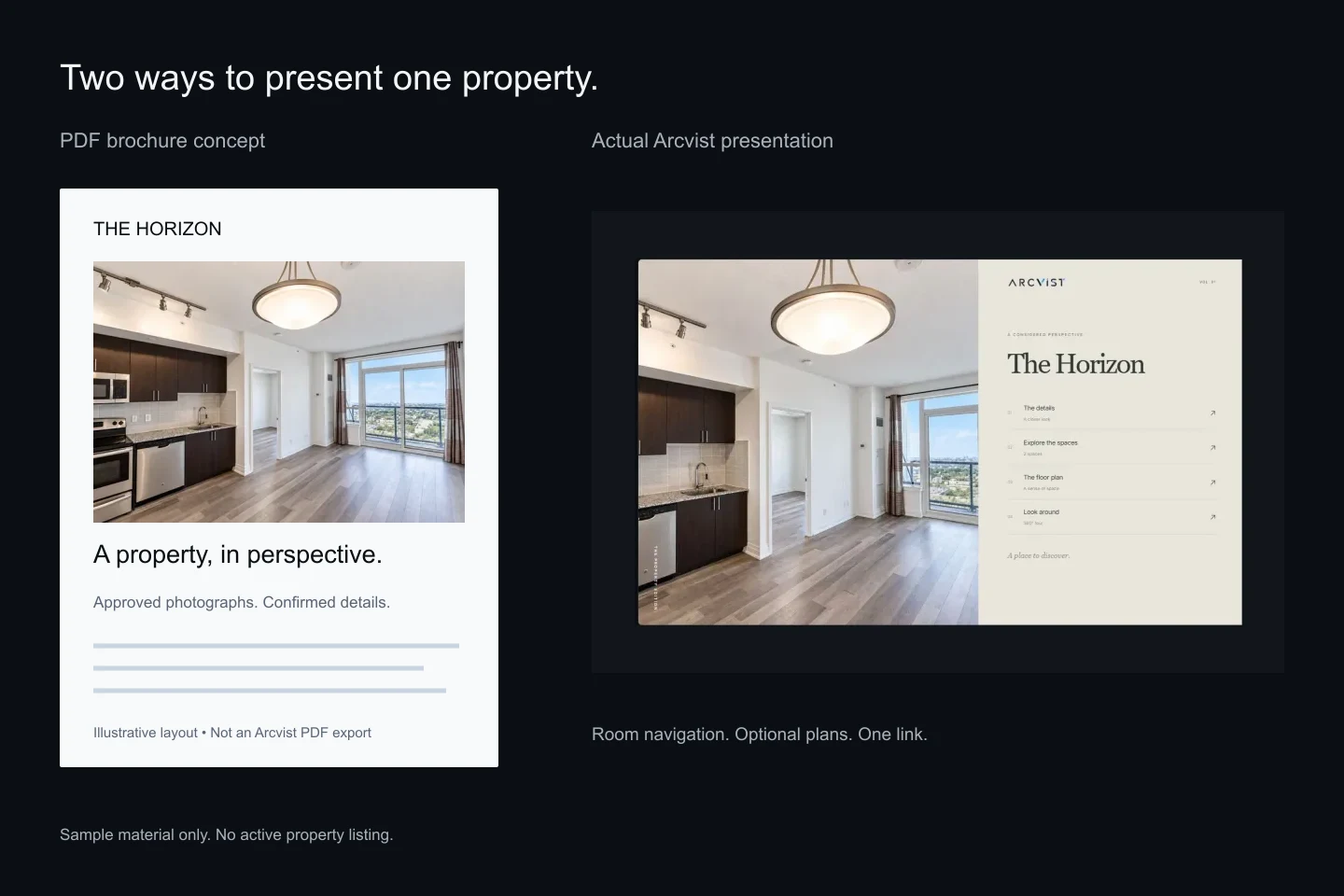
Start with how the buyer will use it.
Presentation format shapes the practical details: what someone can open on the way to a viewing, what they can print for a discussion, and how easily they can find the kitchen again after looking at a bedroom.
For a Toronto agent preparing a condo, detached house or rental, the useful question is which format fits this property’s material and the recipient’s situation. Neither format can compensate for missing facts, unclear photographs or an inaccurate plan.
What is a PDF property brochure?
A PDF property brochure is a document containing selected photographs, approved property details and, where available, a floor plan or contact information. An agent can attach it to a message, provide a download or print a copy for a meeting.
A downloaded brochure is convenient when connectivity is unreliable. Its fixed layout also gives you control over the page someone prints. That strength creates a trade-off: a reader may need to zoom into a dense page on a small screen, and an old downloaded copy does not update when your source document changes.
PDFs can contain links, bookmarks and accessible structure. They are not inherently inaccessible. Adobe documents PDF reflow and reading features, including the role of document tagging. Test the exported file in the reader your recipients are likely to use.
What is a single property website?
A single property website is a browser-based presentation focused on one property. A visitor opens a URL and explores the supplied content. The scope varies by provider: some websites are simple galleries; others connect room-based photographs, property information, plans and panoramic views.
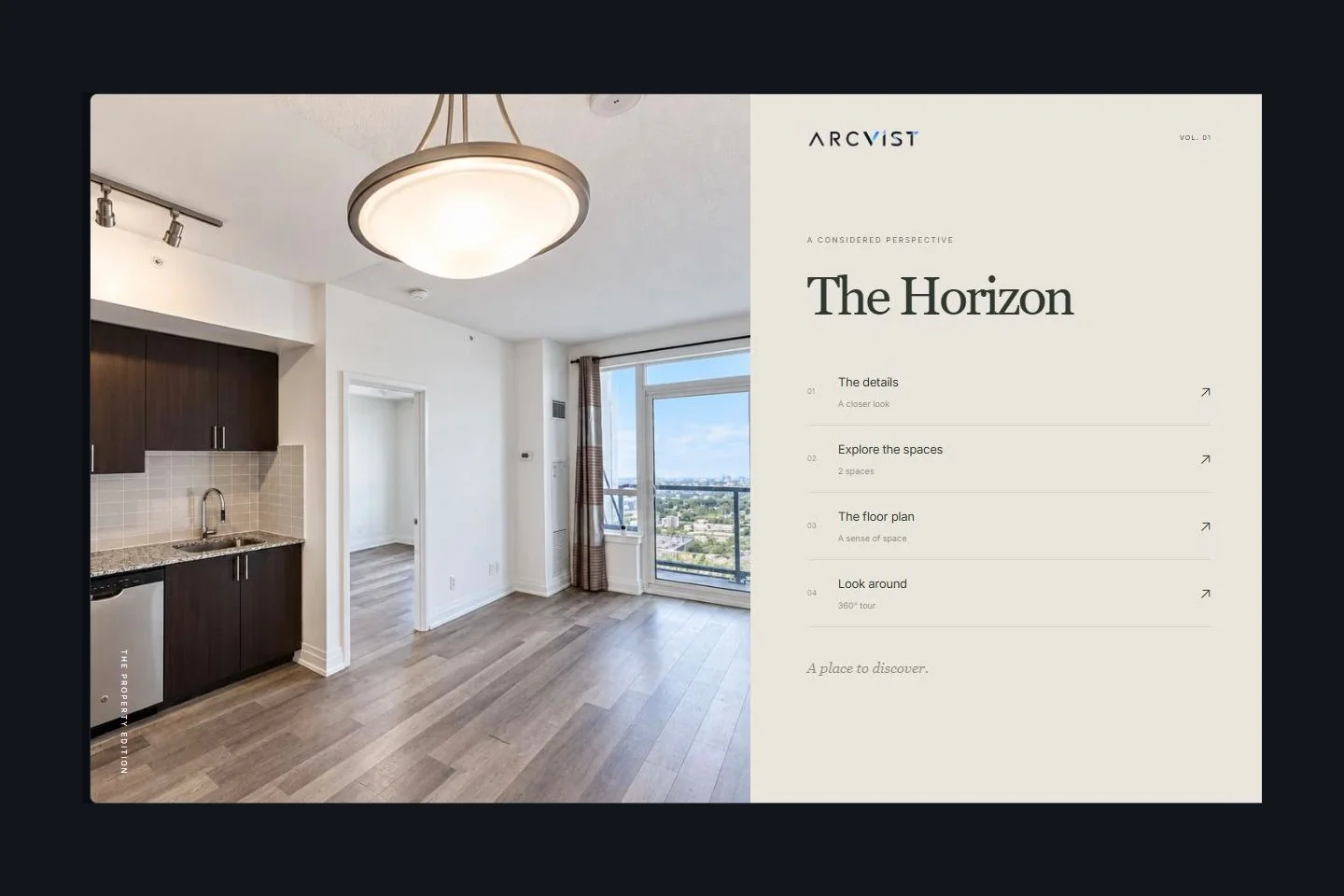
Arcvist’s single property website builder arranges your supplied material into an interactive presentation with a chosen main menu. It publishes a shareable Arcvist link. It does not replace a brokerage website, connect an MLS feed or supply a custom domain.
PDF vs interactive website: a practical comparison.
The website column describes Arcvist’s implemented capabilities. PDF features depend on the authoring tool and reader. On a phone, scroll within the table to compare both columns.
| Consideration | PDF brochure | Interactive Arcvist presentation |
|---|---|---|
| Visual presentation | A fixed page layout with chosen photos and typography; useful for print. | A browser layout with photographs and optional interactive sections. |
| Mobile experience | Depends on page design and reader. Reflow can help; a dense layout may need zooming. | A responsive presentation adapts to screen width. Check the actual content on a phone. |
| Sharing | Send a file or a link to a hosted copy. A file can be forwarded and saved. | Send one URL. Visitors need connectivity to open the hosted experience. |
| Updates | Replace the document and redistribute downloaded copies. A hosted link can point to a replacement. | In Arcvist, saved changes update the active presentation at its existing link. |
| Room navigation | Page order and optional bookmarks or links guide the reader. | Named room galleries let visitors choose a space from the presentation menu. |
| Floor plans | Include a plan image or page, with labels sized for reading. | Arcvist accepts supplied plan images and PDFs, with optional space associations. |
| 360° viewing | A link or QR code can open a separate tour; a printed page cannot provide look-around viewing. | Arcvist’s optional panorama viewer displays genuine supplied captures. |
| Offline access | A downloaded file can be read offline with a compatible PDF reader. | The hosted Arcvist presentation needs an internet connection; offline viewing is not a promised feature. |
| Analytics | A downloaded file alone does not report reading. A hosting or sharing service may measure access. | Arcvist offers consented presentation views, room engagement and contact-action counts. These are interactions, not sales. |
| Preparation | Arrange pages and export a checked document in your chosen authoring tool. | Choose a template, group photos by space and preview the link. Optional content can be added later. |
| Privacy & distribution | Downloads may remain with recipients after you replace or withdraw the original. | A link can be forwarded. Arcvist can unpublish it; this does not erase screenshots or downloaded material. |
When a PDF is the better choice.
Choose a PDF when your recipient asks for a printable reference, needs to read offline, or wants a compact document to keep alongside notes. A short, well-labelled brochure can support an in-person conversation without requiring a live website.
It also makes sense when you already have an approved document and no need for room navigation or a tour. Check the export for legible plan labels, selectable text and a useful reading order. Put a version date on the document so a recipient can distinguish an older copy.
When an interactive presentation is more useful.
A presentation link is useful when a buyer wants to inspect several views of the same room or return directly to a particular part of a property. Separate galleries can make a large set of photos easier to navigate than a long sequence of brochure pages.
If you have a supplied floor plan or genuine panoramas, a browser experience can bring those assets into the viewing journey. It also suits material that you expect to edit: in Arcvist, saved updates to an active presentation appear at its existing link.
Review the experience at phone width. The W3C’s guidance on reflow explains why readable content should adapt to a smaller viewport. A responsive layout still needs careful image crops, meaningful room names and checked links.
Example: preparing a house listing in Toronto.
Illustrative workflow, not a client story or active listing. Suppose your approved material includes exterior photographs, two living-room angles, a kitchen, two bedrooms and a supplied floor plan.
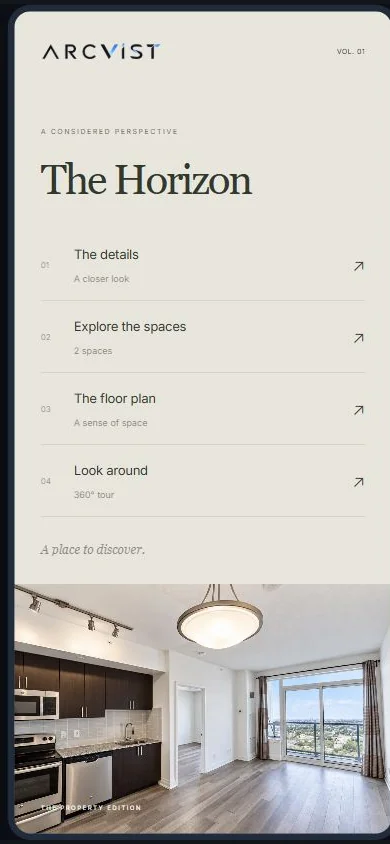
Make a concise PDF for someone who wants a printout. Then organise the interactive version into Exterior, Living room, Kitchen, Primary bedroom and Bedroom 2. Keep both living-room angles together. Include the approved plan if it adds context; leave panoramas out when none were captured.
Send the link for browsing and the PDF for keeping. Before sending either, compare the facts, remove private owner information and confirm that contact details reach the intended person. Our Toronto property presentation guide covers condo and house preparation.
How to build the interactive version with Arcvist.
- Choose a template. Compare the ten designs and select a menu composition suited to your photos.
- Add available content. Create clearly named spaces and organise photographs within them. Add only confirmed property details.
- Add optional material. Upload supplied plans or genuine panoramas if you have them. Arcvist does not generate missing plans or 360° captures.
- Preview and share. Check the mobile and desktop views, publish when ready and copy the link. Explore discoverability is a separate setting.
Every property field and upload is optional. You can begin with an incomplete draft and return later. Review whether the content explains the property clearly before sharing with prospective buyers.
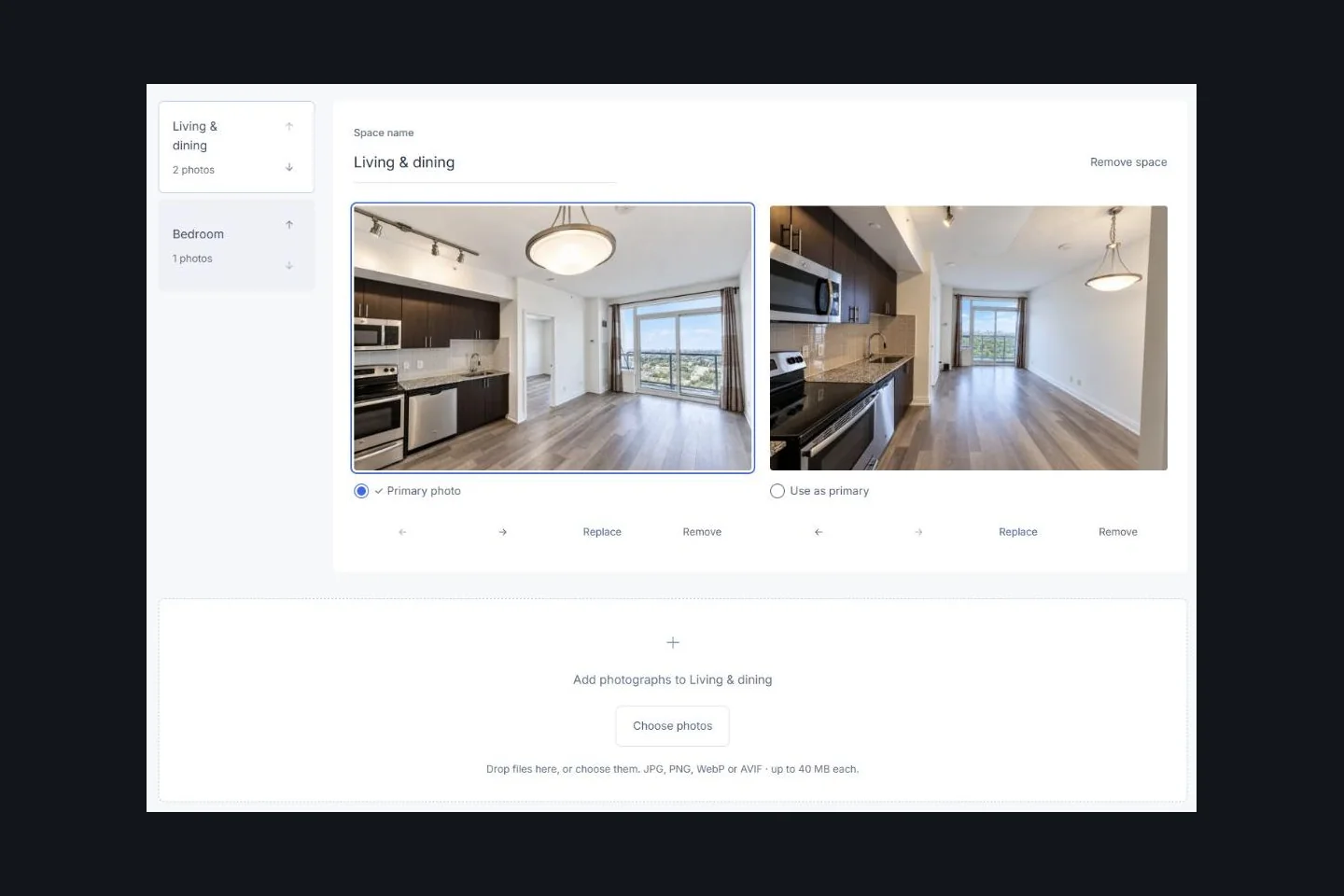
For a detailed walkthrough, read how to create an interactive property presentation from photos.
Can agents use both formats?
Yes. A PDF can be a concise digital property brochure that points to the interactive link for more photographs or optional views. A presentation can remain the browsable version while the document serves a recipient who wants a printout.
Prepare the brochure in your chosen document tool. Arcvist does not currently export a complete property brochure as a PDF. Recheck both versions after a fact changes; updating the website does not update files someone has already downloaded.
A publication link is shareable, not confidential access. Unpublishing can stop access to the hosted Arcvist presentation, but cannot retrieve screenshots or copies already saved by a recipient. Keep internal notes and private contact details out of both formats.
Common questions.
Do I need a tour for a property website?
No. Photos and room navigation can carry the presentation. Include a 360° view only when you have a genuine capture worth showing.
Will an interactive link help sell the property faster?
A presentation format alone cannot establish that outcome. Arcvist’s measured views, engagement and contact actions describe interactions; they do not prove a viewing, enquiry message or sale occurred.
Can I change the design later?
Yes. Select another template in the builder, preview how your material fits and check the saved presentation before sharing again.
Which format is more private?
Both can be forwarded. Choose what information you intend to distribute, verify the product’s visibility settings and treat any public link or sent file as material a recipient could copy.
Before you upload, our practical media preparation checklist helps you check photos, separate rooms and review supplied plans.
Choose the format that helps this buyer.
Keep a PDF when a document is useful. Add an interactive version when room navigation and optional views make the property easier to explore.
Create Your Interactive Property Presentation